
Front-Facing Studio Presenter
10s · 16:9Before
After

Same person · Swap face onlyStudio pair · front-facing
Clear front-facing speaker in even light. Facial structure transfers cleanly while original hair, collar, and studio lighting stay locked.
Same clip, same performance — only the face changes.
1 free 4s preview (720p) · 24 credits per week via daily check-in · $1.99 Trial Pack · credits returned if generation fails
Each pair keeps the original hair, body, wardrobe, and camera movement intact while swapping only the front-facing speaker face. Clear, well-lit faces filling the upper frame produce the sharpest identity lock.
Clear front-facing speaker in even light. Facial structure transfers cleanly while original hair, collar, and studio lighting stay locked.
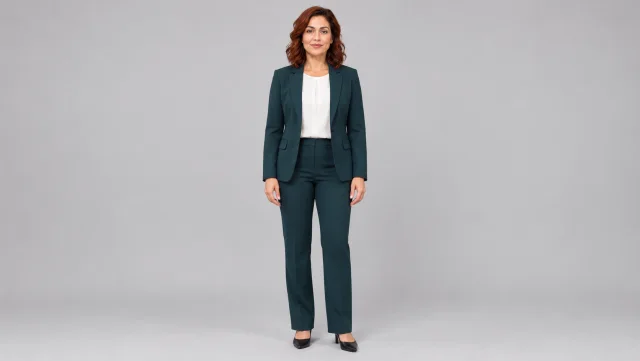
Built for talking-head explainers where the face fills the upper third of the frame. Eye line, blinks, and hand gestures match the source clip.
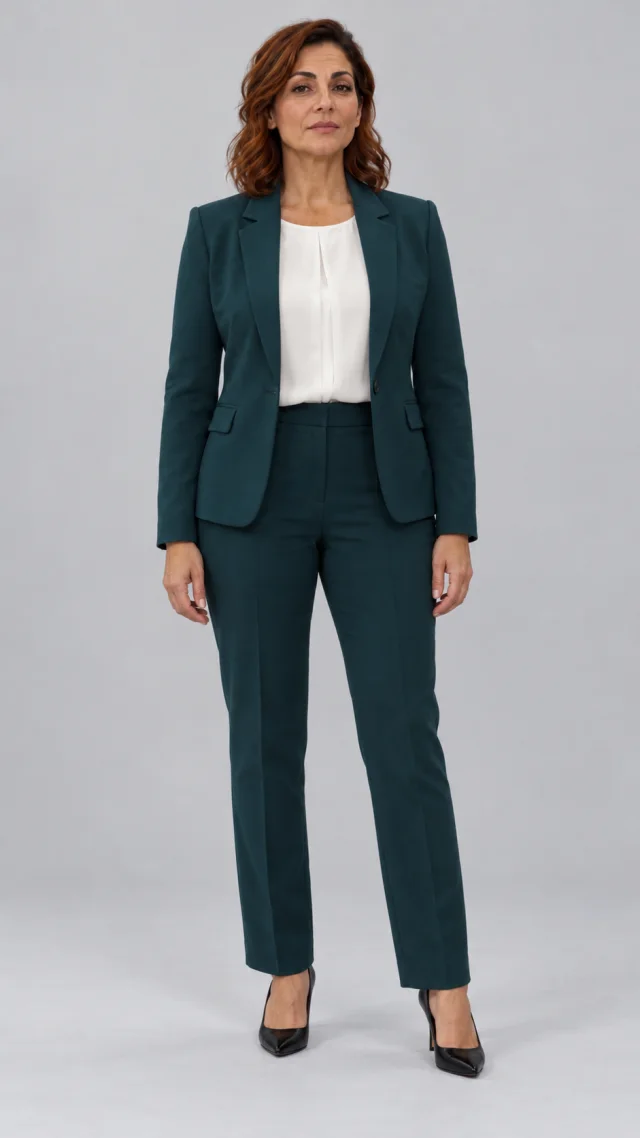
Close-up dialogue framing keeps facial landmarks large and readable. Original wardrobe, background depth, and audio stay intact.
Most video editors lump face swapping and full actor replacement into one button, which leads to warped hairlines or unwanted outfit changes. In our browser studio, Swap face only isolates facial identity—eyes, nose, mouth, jaw, and skin tone—while preserving the original hair, body proportions, clothing, scene lighting, and performance timing. If you want to swap the entire person including their hairstyle, build, and wardrobe, switch to AI video character replacement instead.
| Element | Swap Face Only (This Page) | Full Character Replacement |
|---|---|---|
| What changes | Facial identity only: eyes, nose, mouth, jaw, and skin tone match your portrait. | The whole person: face, hairstyle, build, and outfit are replaced. |
| Hair & hairstyle | Kept from the original clip so hairline motion stays natural. | Rebuilt from the reference character image. |
| Body & clothing | Preserved from the source clip — exact outfit, hands, and posture. | Replaced with the reference wardrobe and body build. |
| Scene & motion | Preserved. Same camera path, lighting, and expression cadence. | Camera timing stays; new subject is re-lit into the scene. |
| Best used for | Spokesperson variants, reaction clips, and quick face swap video tests. | Full actor recasts, stylized avatars, or wardrobe overhauls. |
Need to replace hair, clothing, and body build together—or put a stylized 2D/3D avatar into live footage? Use the full-body recast workflow.
Open Character ReplacementEvery AI face swap video model hits physical limits when source footage hides facial landmarks. Check these five edge cases before you spend credits so your first render lands cleanly.
Full side profiles hide one eye and cheek, forcing the model to guess half the face and causing jawline drift.
Fix: Keep both eyes visible within ±45°, or trim out full-profile turns.
Hands near the chin, bangs over the eyes, sunglasses, or a mic blocking the mouth break tracking and leave ghosted edges.
Fix: Use an unobstructed take or trim the seconds where a hand crosses the face.
In group clips, an untargeted face swap video AI pass can drift onto the wrong speaker or blend features.
Fix: Prefer single-subject shots, or name the exact person in the prompt (e.g., "speaker on the left").
Wide full-body shots leave too few pixels on the face, making distant swaps look soft after compression.
Fix: Crop to a chest-up or waist-up shot so the face fills at least 10–20% of the frame height.
Whip-pans, fast spins, or low-light shutter blur smear facial landmarks and trigger flicker around eyes and teeth.
Fix: Use steady, well-lit 24–30fps clips. For fast full-body choreography, use AI motion transfer.
Test a face swap video in your browser with zero monthly lock-in. You always see the exact credit quote before a job starts, and any failed generation returns your credits automatically.
Start with 1 free 4-second preview after Google sign-in (unwatermarked 720p on eligible US iOS devices, or a 480p preview in other eligible regions), then collect 24 free credits per week via daily check-in (3 credits on days 1–6 plus 6 credits on day 7—enough for a 4s Lite swap at 22 credits).
Yes, you can run a free face swap video test with no card. Eligible accounts get 1 free 4-second preview, plus 24 free credits per week via 7-day daily check-in (covering a 4s Lite run at 22 credits). For longer 720p or 1080p clips, a one-time $1.99 Trial Pack adds 60 credits with no subscription.
See free credits and pack pricingYes. No masking, keyframes, or desktop software needed. Upload a 4–30 second MP4, WebM, or MOV clip and one front-facing portrait, keep Swap face only selected, check the upfront credit quote, and export in your browser.
Yes. Preserve Audio is on by default so your original voice and music carry into the exported MP4. Because face swap video AI focuses on facial identity rather than phoneme dubbing, review tight dialogue close-ups before publishing.
Each job targets one person at a time to keep likeness sharp. If two people appear, describe which one to swap in the prompt; to replace two faces cleanly, run separate single-subject cuts.
Paid credit and 7-day check-in renders export as watermark-free 720p or 1080p MP4 files. Free first-time previews are unwatermarked 720p on eligible US iOS devices and 480p watermarked previews in other eligible regions.
Check export specs on PricingAngles up to 45 degrees hold well while both eyes stay visible. Past 45 degrees into a full profile, the hidden side lacks a reference anchor and likeness can soften—trim full-profile turns for best results.