

Choose the route that fits
No GPU. Just make the edit.
Use Genjutsu AI in this page. Add a clip and reference photos, check the quote, then generate.
Want Comfy’s hosted workflow?
Open Comfy’s separate app. Check the current per-run charge before submitting.
Have the hardware and want control?
Run the community app locally. The code is free; hardware, power and maintenance are your responsibility.
No GPU? Upload your clip and reference photos
Upload your video and reference photos, choose an edit, then review the credit estimate before generating. No local GPU or installation needed.
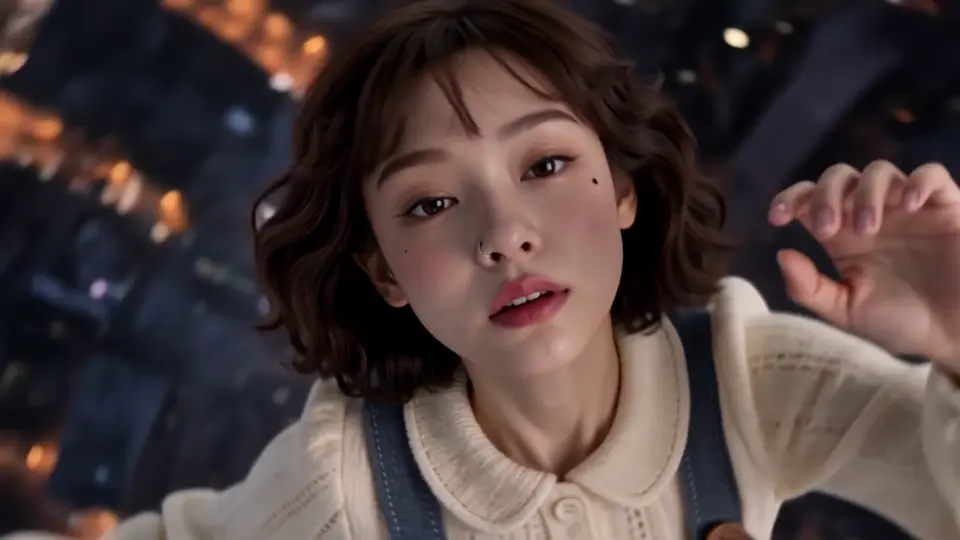
Countryside Duo
PromptOriginal clips and effect examples from Higgsfield, shown as references. Generation uses the original and your photo; results may vary.
Start with a short clip. Your final quote depends on the task, model, duration, resolution and any image preparation.
What does one video cost?
USD examples, not fixed per-video prices. See the exact quote before generating; taxes and regional prices appear at checkout.
≈210 credits
Standard edit · 10s / 720p. A published pricing example, not every model’s rate.
≈510 credits
Kling 4.0 Reference · 10s / 1080p. Video background, source audio on, no prepared image. Editor estimate.
≈770 credits
Scene or multi-person · 10s / 720p. Model and preparation can change the quote.
Collect up to 210 credits over a 7-day check-in streak. Packs start at $7.90 for 220 credits. Free and paid-credit exports have no watermark.
Why look beyond a local workflow?
Local control comes with a setup bill: a compatible GPU, substantial system RAM, model downloads and custom nodes. The author’s 6-13 minute example is a six-second 480p render on a 4060 Ti. Optional face repair adds time and separate licensing checks.
A hosted editor is useful when you want to submit an edit without maintaining that stack. Choose by the actual task: character replacement, motion transfer and general video editing are related, but not identical.
A closer look at each option
01Genjutsu AI
Quote-led editing with multiple supported models. Use the editor on this page; no local NVIDIA GPU is needed.
- Runs where
- Browser
- Input
- Clip + photos
- Price model
- Credits; packs from $7.90
- Free option
- Up to 210 / 7-day streak
- Typical wait
- About 5 min; operator estimate
- Clip length
- 4-30s, model-dependent
- Commercial use
- Input rights + provider terms
- Setup
- No local installation
02Comfy Openjutsu
The hosted app and the clonable developer app are separate entry points. The repository reports a warm-worker example; cold starts add time. Check the hosted app for current charges.
- Runs where
- Browser / cloud
- Input
- Clip + character image
- Price model
- Paid runs / deployment credits
- Free option
- Not published in checked source
- Typical wait
- ≈2 min for 5s / 480p on warm deployment¹
- Clip length
- 5-15s; MP4/MOV ≤100MB¹
- Commercial use
- Model licenses separate
- Setup
- Hosted app; self-deploy is separate
03Openjutsu local
Choose local when you need editable graphs and control over your machine. Tested hardware is an RTX 4060 Ti 16GB with 64GB RAM, not an established universal minimum.
- Runs where
- Your NVIDIA GPU
- Input
- Clip + character image
- Price model
- Free code; hardware + power
- Free option
- MIT code
- Typical wait
- 6-13 min / 6s at 480p²
- Clip length
- Workflow / memory-dependent
- Commercial use
- Check face-fix components
- Setup
- ComfyUI + models + app
04Openjutsu on RunPod
Community Pod and serverless projects provide deployment routes. Renting a GPU removes the hardware purchase, not the setup work. Stop unused compute and account for persistent storage.
- Runs where
- Rented GPU
- Input
- Clip + character image
- Price model
- GPU runtime + storage
- Free option
- Not published in checked source
- Typical wait
- Not published in checked source
- Clip length
- Workflow / memory-dependent
- Commercial use
- Same dependency review
- Setup
- Deploy community image
05Kling Motion Control
Kling’s guide describes transferring motion from a reference video to a character image. Its 3-30 second input range is not a promise that every complex motion will produce the full length.
- Runs where
- Browser / cloud
- Input
- Motion clip + character image
- Price model
- Credits; check account pricing
- Free option
- Not published in checked source
- Typical wait
- Not published in checked source
- Clip length
- 3-30s reference
- Commercial use
- Check current service terms
- Setup
- Upload in the web app
06Wan 2.2 Animate
An open model for character animation and replacement. It is a model family to configure or access through a host, not the same ready-made app as local Openjutsu.
- Runs where
- Local / hosted by others
- Input
- Video + reference image
- Price model
- Open model; compute costs
- Free option
- Open weights
- Typical wait
- Not published in checked source
- Clip length
- Not published in checked source
- Commercial use
- Review model + dependencies
- Setup
- Inference environment + weights
07Runway Edit Studio
Aleph 2.0 powers an editing workspace for changes to existing footage. The current upload guide specifies 480p-1080p and 24-30fps. This is broader video editing, not only character swaps.
- Runs where
- Browser / cloud
- Input
- Video + prompt / image
- Price model
- Credits
- Free option
- Not published in checked source
- Typical wait
- Not published in checked source
- Clip length
- 2-30s; ≤10 shot changes
- Commercial use
- Check current service terms
- Setup
- Open Edit Studio
08Viggle Meme Maker
Viggle presents Mix, multi-character editing and motion features for memes and social clips. Check the exact tool’s current length and export limits rather than assuming all modes match.
- Runs where
- Browser / app
- Input
- Character + motion clip
- Price model
- Check current plans
- Free option
- Not published in checked source
- Typical wait
- Not published in checked source
- Clip length
- Not published in checked source
- Commercial use
- Check current service terms
- Setup
- Hosted interface
09Luma Ray3 Modify
Ray3 Modify combines input video with character references and optional edited keyframes. Modify strength is an explicit creative control; the cited guide’s limits apply to that version.
- Runs where
- Browser / cloud
- Input
- Video + character / keyframes
- Price model
- Subscriber feature in guide
- Free option
- Not published in checked source
- Typical wait
- Not published in checked source
- Clip length
- Up to 10s in cited guide
- Commercial use
- Check plan + service terms
- Setup
- Dream Machine Modify mode
10Made Recast
Made’s guide shows a clip-and-photo recast flow with Pro and Lite choices. The price appears before running and varies with length and resolution. It is another independently operated service.
- Runs where
- Browser / cloud
- Input
- Clip + photos
- Price model
- Per length, model, resolution
- Free option
- Not published in checked source
- Typical wait
- Not published in checked source
- Clip length
- Not published in checked source
- Commercial use
- Check current service terms
- Setup
- Upload / recreate a template
One motion, two character interpretations
Compare the live-action and puppet-style demos used on the Genjutsu AI homepage. Play both clips to see how the same motion carries across the two character styles.
Two 6-second, 720p clips generated separately from the same motion source. They are not a direct before/after transformation, a result of the photo-upload template, or a matched benchmark against Openjutsu.
What to upload
Your existing video
MP4, WebM, OGG or MOV. Up to 200 MiB. Select a 4-30 second segment; the model can impose a shorter limit.
Your reference photos
JPG, PNG, WebP or HEIC/HEIF. Up to 30 MiB each. Up to 30 images across supported workflows; some models accept fewer.
For clothing edits
Clothing images: up to 20 MiB, at least 300 px on each side. Use the dedicated clothing workflow for garment controls.
A front-facing portrait is not mandatory. Clear, well-lit references help; image preparation is workflow-dependent. This edits an existing clip, not a video from only one photo. Download completed videos within 7 days.
Code licenses are not model licenses
MIT app code
The local Openjutsu app is MIT-licensed. Check separate licenses for the models, weights and custom nodes you actually enable.
Optional face repair
The local README identifies InsightFace buffalo_l as non-commercial research only and the Bingsu/adetailer YOLO weights as AGPL-3.0. This is not a blanket ban on all Openjutsu workflows.
Hosted services
A paid subscription does not replace permissions for your inputs. Read the service and model-provider terms for your specific use.
Rights, likeness and output limits
Use footage, faces, voices and music you have permission to edit. Owning a photo or finding a public video does not by itself grant editing or commercial rights. Do not use the tools for deceptive impersonation.
Genjutsu AI does not claim ownership of rights you may hold in outputs. Commercial use depends on input permissions, applicable law and provider terms. Review identity, motion and audio before publishing.
Questions, answered
Can I use an Openjutsu alternative in a browser?
Yes. Genjutsu AI and Comfy’s hosted Openjutsu are online options. Here you upload an existing clip plus reference photos; no local GPU or model installation is needed.
What GPU does local Openjutsu need?
An NVIDIA GPU is required by the local project. The author tested an RTX 4060 Ti with 16GB VRAM and 64GB system RAM. This is a tested configuration, not a certified minimum.
Is there a free way to start?
Yes. Genjutsu AI offers up to 210 daily check-in credits over a 7-day streak, with no purchase required and no watermark. Rewards expire after 30 days. Local Openjutsu code is free, but hardware and compute are not.
How much does one Genjutsu AI edit cost?
About 210 credits is the published example for a standard 10-second 720p edit; scene or multi-person edits use about 770. Packs start at $7.90/220 credits. Monthly plans start at $29.90/1,000 credits. The final quote takes priority.
How many credits does 1080p cost?
It depends on the model. A 10-second Kling 4.0 Reference motion edit at 1080p is estimated at about 510 credits with video background, source audio on and no image preparation. Do not apply this number to every 1080p model.
How long does a video take?
Plan for about 5 minutes on Genjutsu AI, an operator estimate rather than a measured service guarantee. Model, clip and queue affect the wait. Local Openjutsu’s author reports 6-13 minutes for a 6-second 480p clip on a 4060 Ti.
Do I need a video as well as a photo?
Yes. Genjutsu AI edits an existing video. Upload a video up to 200 MiB and select a 4-30 second part, plus reference images up to 30 MiB each. Model-specific limits apply; a photo alone is not enough.
Does my photo have to face the camera?
No fixed front-facing angle is required. Use a clear photo; lighting, visible features and similarity to the source pose can affect the result. Reference preparation depends on the selected workflow and does not guarantee a perfect correction.
Is Genjutsu AI the same as Higgsfield Genjutsu?
No. Genjutsu AI at genjutsuai.dev is independently operated and is not affiliated with Higgsfield. Higgsfield Genjutsu is a separate feature at higgsfield.ai. Their accounts and credits are separate.
Can I use the result commercially?
It depends on the input rights and tool terms. Local Openjutsu’s optional face repair uses separately restricted models. Genjutsu AI does not claim ownership of your output rights, but permission, applicable law and provider terms still determine commercial use.
Which alternative is closest to Openjutsu?
For the same workflow family, start with local Openjutsu or Comfy’s separate app. For the same creative goal, compare a short clip in a browser editor. There is no same-input quality ranking in this guide.
What length and resolution can I choose?
Genjutsu AI supports 4-30 second edits and 480p, 720p or 1080p depending on the model. Some models accept fewer seconds or references. Download completed videos within 7 days.
Sources & review notes
Specifications and reported timings come from the linked sources, reviewed on November 2, 2026. Prices and limits can change. This guide does not present a matched cross-tool performance benchmark.
Genjutsu AI is independently operated. It is not Higgsfield, Comfy or the Openjutsu project.
Start creating