

Can you use Openjutsu online?
Yes. D3voz’s community project runs locally on an NVIDIA GPU, while Comfy-Org offers a separate hosted app. Independent browser editors offer a third route without configuring a cloud GPU.
Comfy-Org’s hosted Openjutsu app processes 5–15 second parts on Comfy’s cloud, with paid runs. The local D3voz project is separate and needs an NVIDIA GPU.
A cloud ComfyUI host lets you run a workflow on rented hardware. You configure the workflow yourself and pay for GPU time.
Genjutsu AI (genjutsuai.dev) is an independent website not affiliated with Higgsfield. Upload an existing 4–30 second clip and reference photos in your browser, check the credit quote, then generate on our servers. Allow about 5 minutes (operator estimate). You can start with up to 24 free check-in credits; exports have no watermark.
4 ways to run Openjutsu-style swaps, compared
Scroll the table to compare all columns.
| Option | Genjutsu AI | Comfy hosted Openjutsu | Cloud ComfyUI host | Openjutsu local (D3voz) |
|---|---|---|---|---|
| Runs where | Browser interface; processing on Genjutsu AI servers | Comfy cloud | Rented cloud machine running ComfyUI | Your NVIDIA GPU |
| Local GPU / install | None | None for the hosted app | No local GPU; you configure the workflow | Required (tested 16GB VRAM + 64GB RAM) |
| Input | Existing clip (MP4/WebM/OGG/MOV ≤200 MiB) + up to 30 photos (≤30 MiB each) | MP4/MOV clip ≤100 MB + one character image | Depends on the workflow | Video + character image |
| Clip length | 4–30s, model-dependent | 5–15s part | Workflow-dependent | Workflow / memory-dependent |
| Output | 480p / 720p / 1080p by model | 480p example in README; check other resolutions | Workflow-dependent | Workflow-dependent |
| Price | ≈100 credits for 10s 720p; packs from $7.90/220 | Paid runs; deployment credits and separate optional first-frame charge; check current hosted price | Pay for machine time; check current price | Free MIT code + your hardware/power |
| Free start | Up to 28 check-in credits / 7 days | Not published in checked source | Not published in checked source | Free code |
| Watermark | No (free and paid) | Not published in checked source | Workflow-dependent; check provider | Not published in checked source |
| Typical wait | About 5 min (operator estimate) | About 2 min for 5s 480p on a warm worker; first job several minutes | Not published in checked source | 6–13 min for 6s 480p (author report, RTX 4060 Ti) |
| Account | Sign-in required to generate | Check current hosted-app requirements | Check provider requirements | Local app; no hosted account |
| Openjutsu itself? | No; independent editor, not Higgsfield | Yes, Comfy-Org’s app | No; generic ComfyUI workflows are not Openjutsu | Yes, community project |
Checked on November 2, 2026
Use Genjutsu AI in your browser now
1. Upload a clip (MP4/WebM/OGG/MOV, up to 200 MiB) and select 4–30 seconds. 2. Add reference photos (JPG/PNG/WebP/HEIC, up to 30 MiB each, up to 30). 3. Check the credit quote, then Generate. About 5 minutes (operator estimate).
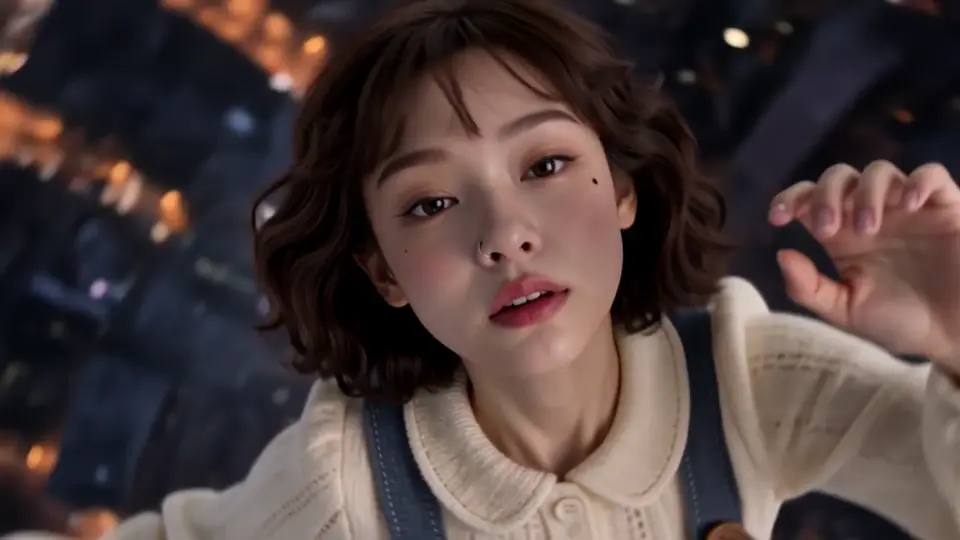
One motion, two characters, made with Genjutsu AI
Example clips shown for reference only. Genjutsu AI (genjutsuai.dev) is an independent website not affiliated with Higgsfield. Your result is generated from your own clip and photos.
Two 6-second, 720p clips generated separately in Genjutsu AI from the same motion source. Your result depends on your own clip, photos and model.
Examples
Inputs upload automatically for a credit quote. Only clicking Generate reserves credits. The final quote depends on the task, model, duration, resolution and optional image preparation.
What to upload
Your existing video
MP4, WebM, OGG or MOV. Up to 200 MiB. Select a 4-30 second segment; the model can impose a shorter limit.
Your reference photos
JPG, PNG, WebP or HEIC/HEIF. Up to 30 MiB each. Up to 30 images across supported workflows; some models accept fewer.
For clothing edits
Clothing images: up to 20 MiB, at least 300 px on each side. Use the dedicated clothing workflow for garment controls.
No front-facing angle is required; built-in repair and correction handle typical angles. Clear, well-lit references still help. You need an existing video; a single photo alone is not enough. Download completed videos within 7 days.
What does one video cost?
Ten permanent credit packs, with one-time payment in USD or EUR. Existing paid credits and subscriptions keep their benefits. Review the exact quote before generating.
≈100 credits
Standard edit · 10s / 720p. A published pricing example, not every model’s rate.
≈510 credits
Kling 4.0 Reference · 10s / 1080p. Video background, source audio on, no prepared image. Editor estimate.
≈380 credits
Scene or multi-person · 10s / 720p. Model and preparation can change the quote.
Collect up to 24 credits over a 7-day check-in streak. Packs start at $7.90 for 220 credits. Free and paid-credit exports have no watermark.
Credits by model: 10-second edits
Scroll the table to compare all columns.
| Option | Available modes | 10s · 1080p | 10s · 720p |
|---|---|---|---|
| Genjutsu AI Lite | Motion / restyling · Reference-image background | ≈90 | ≈55 |
| Genjutsu AI Standard | All six editing modes | ≈120 | ≈80 |
| Genjutsu AI Pro | All six editing modes | ≈135 | ≈100 |
| Genjutsu AI Max | All six editing modes | ≈255 | ≈170 |
| Viral AI | Object replacement | ≈398 | ≈164 |
| Viral AI Pro | All six editing modes | ≈663 | ≈192 |
Editor estimates checked November 8, 2026. Image preparation is excluded. Check the editor for your quote.
How long it takes
Genjutsu AI: about 5 minutes (operator estimate). Comfy’s README: about 2 minutes for a 5-second 480p part on a warm worker, with the first job taking several minutes. Local Openjutsu: 6–13 minutes for 6 seconds at 480p (author report, RTX 4060 Ti). These are not a matched benchmark.
Rights, likeness and output limits
Use footage, faces, voices and music you have permission to edit. Owning a photo or finding a public video does not by itself grant editing or commercial rights. Do not use the tools for deceptive impersonation.
Genjutsu AI does not claim ownership of rights you may hold in outputs. Commercial use depends on input permissions, applicable law and provider terms. Review identity, motion and audio before publishing.
Questions, answered
Is there an online version of Openjutsu?
Yes. Comfy-Org runs a hosted Openjutsu app on comfy.org that processes 5-15 second parts on its cloud, paid per run. If you want a browser editor with no setup at all, Genjutsu AI (genjutsuai.dev, independent) edits an existing 4-30 second clip with your reference photos in about 5 minutes.
Can I use Openjutsu without a GPU?
Yes, if you use a hosted option. The local D3voz version needs an NVIDIA GPU (the author tested 16GB VRAM with 64GB RAM). Comfy's hosted app and Genjutsu AI both run on their own servers, so your computer only needs a browser.
Do I need to install anything?
No, not for Genjutsu AI. Open genjutsuai.dev, upload your clip and photos, check the quote and generate. No Python, ComfyUI or model downloads. Self-deploying Comfy's app or a cloud ComfyUI workflow does require setup.
Is it free?
Daily check-ins on Genjutsu AI give up to 24 credits over a 7-day streak toward a video. Generation requires enough balance for the editor quote; keep collecting or buy a pack. Packs start at $7.90 for 220 credits and never expire; exports have no watermark. Comfy’s hosted runs are paid; check comfy.org for current charges. 1080p costs vary by model.
How much does one video cost?
On Genjutsu AI, a standard 10-second 720p edit is about 100 credits, a scene or multi-person edit about 380, and a 10-second 1080p Kling 4.0 Reference motion edit about 255. The editor shows the exact quote before you generate. 1080p costs vary by model; see the table above.
How long does it take?
About 5 minutes on Genjutsu AI (operator estimate; model and queue matter). Comfy's README reports about two minutes for a 5-second 480p part on a warm worker, with the first job taking several minutes.
Can I make a video from just one photo?
No. Genjutsu AI and Openjutsu both edit an existing video: your clip provides the motion, and your photos provide the new character. Upload a video up to 200 MiB and select 4-30 seconds.
Does my photo need to face the camera?
No. There is no front-facing or angle requirement; Genjutsu AI applies built-in repair and correction to your references. Clear, well-lit photos still help.
Is Genjutsu AI the same as Higgsfield Genjutsu or Comfy's Openjutsu?
No. Genjutsu AI at genjutsuai.dev is independently operated and not affiliated with Higgsfield, Comfy or the Openjutsu project. Accounts and credits are separate.
Can I use the result commercially?
It depends on your rights to the clip, faces, voices and music you upload, plus the model-provider terms. Genjutsu AI does not claim ownership of rights you hold in outputs. See the Terms of Service at genjutsuai.dev/terms-of-service.
Sources & review notes
Specifications and reported timings come from the linked sources, reviewed on November 2, 2026. Prices and limits can change. This guide does not present a matched cross-tool performance benchmark. Genjutsu AI (genjutsuai.dev) is an independent website not affiliated with Higgsfield.
Genjutsu AI is independently operated. It is not Higgsfield, Comfy or the Openjutsu project.
Start creating