
Step 1
Open Higgsfield Genjutsu Restyle
Open Video -> Higgsfield Genjutsu -> Styles on web and upload a clip.
higgsfield.ai/start/genjutsuReview official Styles and API inputs, or restyle clips in our independent studio.
Compare official Higgsfield Genjutsu Restyle web and API routes with our independent studio.
Higgsfield Genjutsu Restyle changes the visual style of a video clip while keeping motion and framing. The official web app offers curated looks under Styles, while the Genjutsu Restyle API requires a preset_id and 0 to 5 character appearance references rather than style photos.
Open Video -> Higgsfield Genjutsu -> Styles on web to pick a style and check credits. API callers using POST /higgsfield/genjutsu/restyle/v1.0 pass preset_id and 0 to 5 character image_urls.
Genjutsu AI (genjutsuai.dev) runs separate models, accounts, and credits. In /create/restyle, pick 17 server presets or upload a custom style image across 5 model tiers.
Open Video -> Higgsfield Genjutsu -> Styles on web and upload a clip.
higgsfield.ai/start/genjutsuSelect a web style, or send preset_id and 0 to 5 character image_urls to the Genjutsu Restyle API.
Web Styles vs API preset_idCheck the credit quote, then inspect scene consistency, flicker, and audio sync.
Quote & export checkChoose from 17 server style presets (5 featured below) or upload a custom style image.
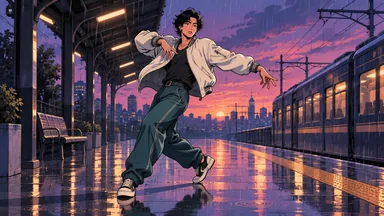 Illustrative preview
Coherent 2D restyle linework with clear silhouettes.
 Illustrative preview
Dimensional anime CG restyle with two-tone shadows.
 Illustrative preview
Hand-drawn cel restyle with flat paint and ink lines.
 Illustrative preview
Retro 16-bit pixel grid restyle with arcade contrast.
 Illustrative preview
Matte wool felt restyle (see B07 texture boundary notes).
See how official web Styles, the Restyle API, and our studio handle presets and reference images.
| Dimension | Official Web | Official Restyle API | Genjutsu AI Studio |
|---|---|---|---|
| Operator | Higgsfield web app (higgsfield.ai) | Higgsfield API (open.higgsfield.ai) | Genjutsu AI (genjutsuai.dev/create/restyle) |
| Video Input | Clip selected in Styles tab | video_url source clip link | 4 to 30s MP4, WebM, or MOV |
| Style Input | Curated style cards and looks | Required preset_id; no custom style photos | 17 server presets OR custom style image |
| Image Refs | Depends on active web tab | image_urls (0 to 5) are character appearance references | Dedicated Style Image + Identity slots |
| Billing & FPS | Official plans and account credits | API billing; FPS and duration not fixed | 24 check-in credits / 7 days + $1.99 Trial Pack |
Inspect our recorded KIE test clips and audit verdicts alongside four quality checks.
B07 · Preset Restyle · Preset: Felt AtelierRecorded 8s 720p restyle test using Genjutsu AI Pro.
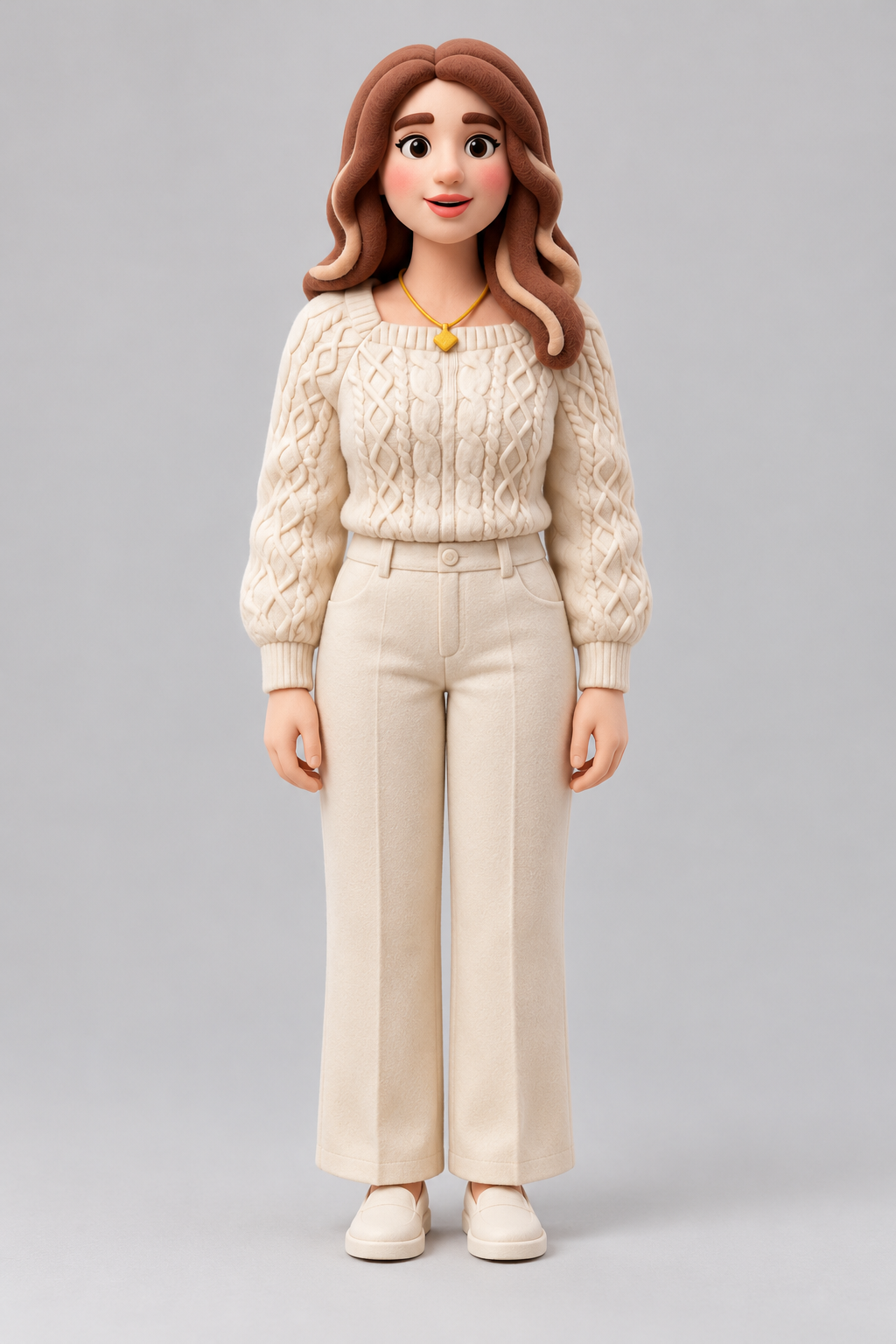 B07R · Reference Restyle · Custom Ref + Prep
Follow-up restyle test pairing the 8s clip with a felt preparation frame.
Check if walls and props match the restyle look. Some routes prioritize the performer over backdrops.
Inspect close frames for felt fibers or grain. B07 and B07R smoothed fine wool fibers into 3D.
Play full speed to spot boiling outlines. Motion blur can cause heavy ink presets to shimmer.
Check gesture beats and speech mouth shapes. Preserved audio locks timing, not phoneme lip-sync.
Compare the 5 model tiers in our /create/restyle workspace.
Balanced default for 4 to 30s Higgsfield Genjutsu Restyle alternatives.
A 4s 720p Genjutsu Restyle alternative test (22 cr) fits 24 seven-day check-in credits or a $1.99 Trial Pack.
Multi-character lock for dynamic restyle shots.
Grounded lighting for 4 to 10s restyle clips.
Fast 480p restyle drafts before 1080p renders.
Convert live-action clips into anime or cel-shaded animation with stable outlines.
Use single-subject 4 to 10s clips with clear light and low motion blur so ink outlines stay steady. Test a 4s Lite clip (22 credits) or 480p draft before 1080p renders.
Tools like DomoAI also offer anime restyling, though public trial numbers do not guarantee render counts. On Genjutsu AI, 24 check-in credits (7-day streak) or a $1.99 Trial Pack fund a 4s Lite anime restyle without a subscription.
Crisp CG contours and stepped anime shadows.
Hand-drawn 2D paint fills and clean outlines.
Graphic ink contours and halftone contrast.
Check starter rewards, export rules, and one-time credit packs.
Claim 24 free check-in credits across a 7-day streak (or start with a one-time $1.99 / 60-credit Trial Pack), funding a 4s 720p Lite restyle (22 cr).
Higgsfield Genjutsu Restyle edits a clip style while keeping motion. Use higgsfield.ai (Styles), open.higgsfield.ai, or our independent Genjutsu Restyle alternative at /create/restyle.
Official links & studio accessThe official Higgsfield Genjutsu Restyle API requires preset_id and uses image_urls (0 to 5) for character appearance references, not style images. Our studio accepts custom style images or 17 presets.
Higgsfield Genjutsu Restyle redraws shading and materials across the clip. Object Swap edits a prop or outfit, while Character Replacement swaps a person.
AI Video Object SwapYes, video-to-anime is a core Higgsfield Genjutsu Restyle use case. Apply our Cel CG or 2D Cel anime restyle presets and compare trials with DomoAI.
Official free tiers have limits and do not guarantee free renders. On Genjutsu AI, 24 check-in credits or a $1.99 Trial Pack fund a 4s 720p Lite restyle with watermark-free MP4 exports.
Free access guideNo. Genjutsu AI is an independent studio not affiliated with Higgsfield. Our Genjutsu Restyle alternative runs independent Genjutsu AI Lite, Standard, Pro, Max, and Viral AI Pro tiers.
Compare with official toolsFollowing motion is the goal of Higgsfield Genjutsu Restyle, though API FPS and duration are not fixed. Our studio keeps source audio and lets you check flicker.