
Can you actually create a video for free?
To create a video with Higgsfield Genjutsu, open the official tool, check your account's available offer, upload an existing clip, choose an editing mode, add suitable references, and review the generation quote. Proceed without payment only when your account explicitly provides eligible free generations or promotional credits that cover this run. Higgsfield Genjutsu is not confirmed to be permanently free for everyone.
The YouTube guide by A Tech Creations, published September 2, 2026, describes roughly two or three free videos for a new account. That is the creator's description of an offer, not a current entitlement we verified. This guide answers the same question using the video page and official documentation reviewed on October 8, 2026.
Higgsfield Genjutsu edits an existing video; prepare a source clip rather than expecting a text prompt to supply the entire performance. Start with one small change you can inspect easily.
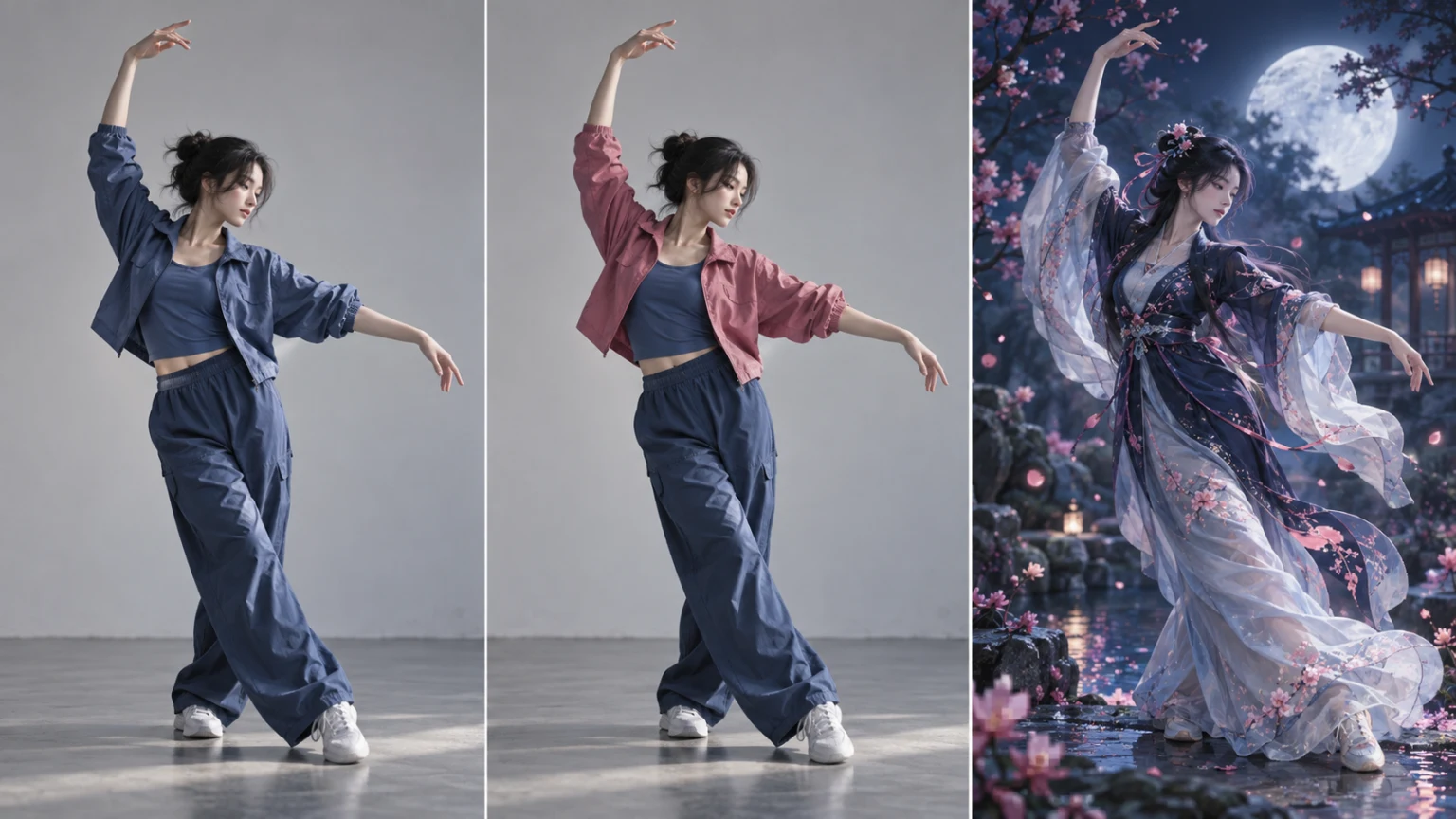
AI-generated concept illustration for Higgsfield Genjutsu: source footage, a targeted outfit change, and a rebuilt scene. These are illustrative frames, not generated product results.
What “free” means in Higgsfield Genjutsu
A free trial, promotional credits, and a paid plan's covered generations are different arrangements. For Higgsfield Genjutsu, the only useful question is whether your selected run is covered now. A signup banner for another model does not answer that question.
The official credit guide explains that covered models can have an Unlimited toggle on the website. Coverage depends on the model and plan; zero credit deduction does not mean the subscription itself costs nothing. Do not assume Higgsfield Genjutsu is included simply because another tool is covered.
| What your account shows | Your next action |
|---|---|
| Free generations explicitly eligible for this tool | Check remaining uses and selected settings. |
| Promotional credits | Compare the balance with the displayed quote. |
| Unlimited access for a covered model | Confirm this model is covered and the toggle is on. |
| Only a credit charge or upgrade requirement | Pause if your goal is a no-payment attempt. |
Before using Higgsfield Genjutsu, check the account offer, run price, and any purchase requirement. We have not redeemed a trial, submitted a paid generation, or verified a universal free allocation. Higgsfield Genjutsu offers can change after a tutorial is published.
An old free trial is not a current Genjutsu offer
Higgsfield's July trial article describes a one-day promotion ending July 23, 2026. It required card details and converted to a paid monthly plan unless canceled. Its listed video models do not establish Higgsfield Genjutsu coverage.
That deadline is already past at this guide's October 8 review. Do not use the article as proof that a Higgsfield Genjutsu trial is available now. If your account presents a different offer, read its own deadline, model list, payment requirement, and renewal terms before activation.
What about Claude MCP and this website?
The replacement tutorial also mentions Claude MCP. Official credit rules say website free generations and Unlimited access do not carry over to MCP, CLI, or other automated surfaces. Do not move a Higgsfield Genjutsu workflow into automation expecting the website allowance to follow.
This website is an independent studio. Its composer, credits, and one-time purchase options are separate from Higgsfield Genjutsu. You can prepare a related edit here, but the local interface does not grant official free access or share an official balance. See where to try the official tool for that distinction.
Step 1: prepare a source clip for Higgsfield Genjutsu
For a first Higgsfield Genjutsu attempt, choose footage with a visible subject, simple movement, and a clear camera angle. As an editorial starting point, try a five-to-eight-second shot of a person turning or lifting an arm. This is a suggested exercise, not a provider minimum or a guarantee of quality.
The official workflow guide documents one video of 4–30 seconds, up to 30 reference images, and output up to 1080p. Check the current generator's validation before preparing a Higgsfield Genjutsu job; those web limits should not be copied into every API integration.
Trim away unrelated opening frames. Keep a copy of the original. Give Higgsfield Genjutsu a shot whose successful edit you can describe in one sentence: “change the jacket while keeping this performance.” Complicated cuts and crowded scenes make a first evaluation harder to interpret.
Step 2: choose your Higgsfield Genjutsu mode
Higgsfield Genjutsu has two core editing paths in the official product description. Motion Transfer uses movement and camera timing to guide a reconstructed scene. Object Swap targets a character, outfit, prop, product, or other selected element. Preservation is the intended behavior, so review the result rather than promising perfect frame accuracy.
Choose Object Swap in Higgsfield Genjutsu when the existing setting and performance already work and only the jacket needs replacing. Choose Motion Transfer when you want the action performed by a different character in a new environment.
For a limited Higgsfield Genjutsu free attempt, keep the scope narrow. Asking Higgsfield Genjutsu to change the person, location, clothing, lighting, and every prop at once gives you many possible causes of a disappointing result. One defined edit makes the next decision clearer.
Step 3: guide Higgsfield Genjutsu with references
Use a clear reference showing the item or person you want. For a jacket, choose an image where its shape and color are visible. Remove contradictory references before submitting to Higgsfield Genjutsu. The maximum image count is a capacity limit, not a recommended target.
The Higgsfield Genjutsu workflow permits presets or optional short descriptions. When giving Higgsfield Genjutsu a custom brief, specify the target, desired appearance, and parts to retain. The following are original example instructions, not prompts extracted from the video or tested outputs:
Outfit example: Replace the dancer's blue jacket with the pink jacket in the reference. Keep the face, arm movement, camera framing, and studio background.
Scene example: Use the reference character in a moonlit garden. Retain the source arm movement and camera timing, with blue-white light and a natural landing.
If Higgsfield Genjutsu changes the wrong subject, revise the target description or reference instead of adding unrelated adjectives. For scenes with several people, the character replacement guide explains why identifying the intended person matters.
Step 4: check the Higgsfield Genjutsu quote
Set the duration and resolution before reviewing the Higgsfield Genjutsu quote. A shorter preview at a lower available resolution can be a sensible first evaluation if it still shows the difficult movement. It does not automatically become free because its settings are cheaper.
The official product page says Higgsfield Genjutsu displays credit cost before generation. Check that the eligible offer covers the configured run. If the screen asks for payment, the no-payment route is unavailable for that configuration or account; preparation can still continue.
Submit one Higgsfield Genjutsu job and keep its job reference. If the page loses connection, check the existing task or history before starting another render. This is a practical duplicate-submission precaution, not a claim about the provider's recovery guarantees.
Step 5: review your Higgsfield Genjutsu result
Review a Higgsfield Genjutsu result at the beginning, middle, and end, especially where arms cross the body or clothing folds. For an outfit edit, inspect sleeve boundaries and check that the original face and background remain acceptable. For motion transfer, inspect pose timing and foot contact.
Do not judge Higgsfield Genjutsu from a single attractive frame. Play the complete clip, compare it with the source, and check audio separately if the finished piece needs it. We have not verified audio preservation for every mode.
Keep the accepted version and record its settings. If the Higgsfield Genjutsu attempt misses your goal, change one reference or instruction at a time, then check remaining free uses before retrying. Avoid spending a small trial allocation on several nearly identical blind attempts.
If your Higgsfield Genjutsu free option is missing
First confirm you opened the official Higgsfield Genjutsu tool and selected the intended account. Then check whether the offer names this model and whether its dates, settings, or remaining allocation still apply. An old tutorial does not override today's quote.
For Higgsfield Genjutsu, we cannot promise the video's two-or-three-video offer is still available. If no eligible Higgsfield Genjutsu allowance appears, stop before paying and decide whether a paid attempt fits your budget. The official access guide helps distinguish services with similar names.
This website is an independent studio with separate accounts and billing. Preparing inputs here does not unlock an official Higgsfield Genjutsu trial. You can inspect our plans and credit packs before choosing that separate workflow.
Frequently asked questions
Does Higgsfield Genjutsu always give new users three free videos?
We cannot confirm that. The YouTube description mentions roughly two or three; verify the eligible allocation in your account before using Higgsfield Genjutsu. Do not treat a dated creator offer as a permanent rule.
Is Unlimited the same as a free account?
No. The official credit guide ties coverage to specific models and plans. Higgsfield Genjutsu must be explicitly covered; a paid plan can have zero-credit runs while still requiring payment for access.
Can I start without an existing video?
This workflow starts from footage. Higgsfield Genjutsu needs the source action to guide the edit. Record a simple clip first or select footage you have permission to transform.
What should I do before a second attempt?
Inspect the first Higgsfield Genjutsu result and identify one defect. For Higgsfield Genjutsu, a clearer reference or narrower target is more useful than repeating the same request without checking it. Recheck the quote and remaining allowance.
Make your first Higgsfield Genjutsu attempt count
Use Higgsfield Genjutsu with one short clip, one clear editing goal, and references that match it. Confirm the offer before submitting and assess the whole result before retrying. That is the practical way to follow a free-video tutorial without mistaking a temporary allowance for unlimited free generation.
Downloads and watermarks: check these separately
A covered generation does not establish a free download, a watermark-free export or permission for commercial use. Check the selected account offer for each of those conditions before starting. We have not completed an end-to-end official free export, so its current resolution and export entitlements remain unverified.
This independent studio uses its own quoted credits. Preparing files does not start a paid generation; one-time credit packs are a purchase, not a free Genjutsu offer. See our credit terms and the no-subscription workflow. Neither transfers an official Higgsfield allowance.
Sources
-
A Tech Creations video page and expanded description, September 2, 2026.
-
Official pricing page: consult the live account offer; no universal trial amount verified.
-
Official historical July trial, expired deadline.
-
Reviewed October 8, 2026. No personal allowance, payment, or paid generation was tested.